


DDS 2 GO
3.1683.00 Reviews
App Specs
- Version
- 2.2.8
- Updated On
- License
- Free
- Downloads
- 500,000+
- Developer
- Georgia Department of Driver Services
- Categories
- Business
- Platform
- Android
Screenshots
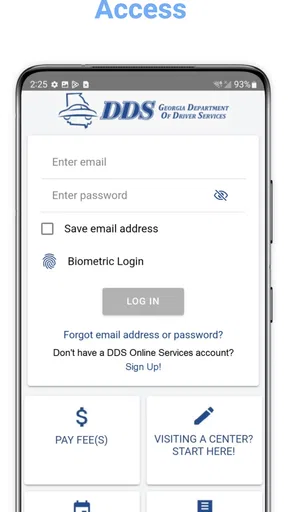
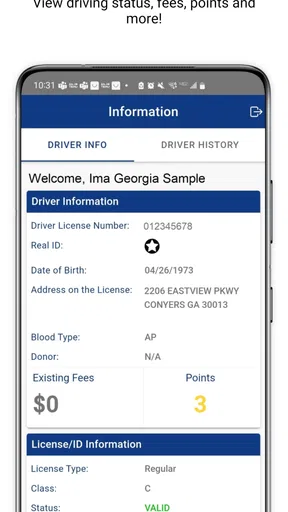
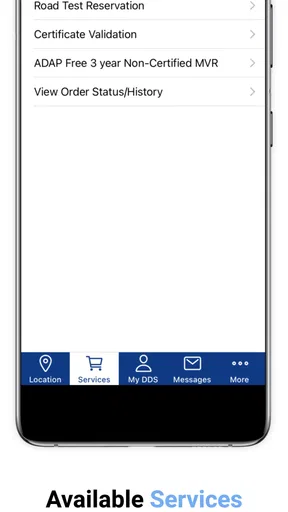
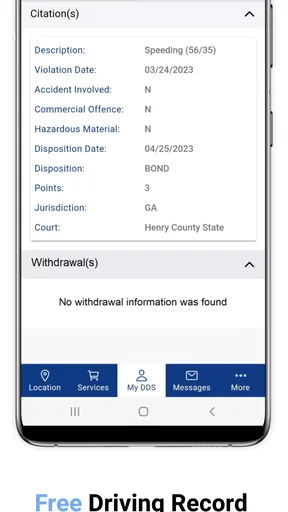
 Analysis by AppCompare
I found DDS 2 GO most useful as a focused companion for dealing with Georgia driver services rather than as an app I would keep open every day. It is the official Android app from the Georgia Department of Driver Services, and that official connection is its main reason to exist: instead of starting with a general web search, I can begin with a service-oriented tool built around the state agency.
That narrow purpose is important when deciding whether it belongs on your phone. This is a free business app for the general public, rated for Everyone, and it has passed the half-million-install mark. Its average score sits at about 3.1 from roughly 1,600 ratings, so the public response is mixed rather than uniformly enthusiastic. I read that as a signal to keep expectations practical: the app may save time when it fits the task, but it should not automatically replace the agency’s broader online channels or direct assistance.
How DDS 2 GO feels in real use
I find the most useful way to approach DDS 2 GO is to treat it as a starting point for planning, not as a promise that every driver-services task can be completed on a phone. In the sections ahead, I focus on how that distinction affects everyday decisions: what to check before you act, when a browser may be the better companion, and how to avoid turning a quick lookup into a last-minute scramble.
A focused starting point instead of a general search
My first impression is that the app’s value comes from reducing the distance between a Georgia driver-services question and the responsible agency. With a normal browser search, it is easy to land on an outdated page, an unofficial explanation, or a result aimed at a different state. An official app makes the starting point clearer, especially when I am already holding my phone and want to check the next step without sorting through unrelated results.
That does not mean every visit becomes effortless. Government-service tasks often depend on the exact situation: a first license, a renewal, a replacement document, a written test, or a question about an appointment can each require different preparation. I would use the app to orient myself and confirm what I need to do, then slow down and read the instructions carefully before committing to a trip.
The best use of DDS 2 GO is preparation, not wishful automation. It can help me get organized, but I would not assume that opening it completes a transaction, guarantees an appointment, or removes the need for identification and other required materials. That distinction prevents the most common disappointment with official-service apps: expecting a compact mobile interface to do everything a full agency visit can do.
Speed expectations: quick for simple checks, slower when the task is involved
In my experience, an app like this should be judged by how quickly it gets me to the right information, not by flashy transitions or entertainment-style responsiveness. A simple check can feel fast when the relevant option is easy to find and the connection is behaving. The real time savings come from avoiding a chain of searches and from having the state agency’s name attached to the process.
Worth Reading Before You Choose

EA SPORTS FC Mobile 26 Is a Bigger Football Game, but It Takes Time

Flipboard Shows What News Apps Must Do Beyond the Feed

Switching to Android Auto Means Rethinking Your Driving Routine

Google Calendar Makes a Crowded Week Easier to Manage

Ludo King Makes the Most of the Minutes Between Plans

Baby Panda World Brings Quick Play to Modern Phones, but Its Game Library Feels Busy
For more complicated requests, the perceived speed depends less on the app itself and more on the amount of information I must review. If I am trying to understand which service applies to my circumstances, rushing through screens is a mistake. A short pause to verify the wording is preferable to arriving at an office with the wrong documents or selecting an unsuitable service path.
I also would not judge the app harshly if a page takes longer during a busy period or on a weak mobile connection. An official service tool may need to retrieve current information rather than display everything from a static package. The practical test is whether it recovers sensibly and lets me continue, not whether every screen appears instantly.
A realistic everyday scenario
Imagine that I realize after work that I need to handle a driver-services task soon. I have only my phone, a few minutes, and no desire to spend the evening opening random search results. I launch DDS 2 GO, identify the service that seems closest to my situation, and read the requirements before making plans. I note what I need to bring, check whether the task appears suitable for mobile preparation, and save myself from making an uninformed trip.
The important part of that scenario is the order. I would not begin by assuming that the first button solves everything. I would use the app to narrow the question, inspect the details, and then verify my own readiness. If the instructions point toward an in-person visit, the app has still done something useful by helping me approach that visit with a clearer plan.
For a parent helping a new driver, this workflow is also more useful than simply handing over a general web address. I can look through the process together, identify confusing terms, and make a checklist before the learner starts studying or arranging a visit. The app is not a substitute for careful preparation, but it can give that preparation a more official starting point.
Heavy-use moments reveal the trade-off
The app becomes more valuable when I have a specific deadline or a narrow question, but those are also the moments when I am least patient with friction. If I am preparing for a visit, checking several requirements in one sitting, or helping another person compare possible next steps, I need clear navigation and dependable recovery. A minor interruption is manageable during casual browsing; it is much more annoying when I am trying to finish a checklist.
My advice is to avoid leaving the entire process until the last few minutes. Open the app while you still have time to read, revisit a page if the wording is unclear, and keep the agency’s broader contact or web options available as a backup. This is not because the app is unusable; it is because official transactions are too important to treat a single mobile screen as the only source of guidance.
A second practical tip is to separate information gathering from action. First establish what service you need. Then review the requirements. Only after that should you decide whether the app is enough or whether a browser, phone call, or office visit is more appropriate. That three-step approach reduces the chance of confusing a general explanation with confirmation that your particular case is eligible.
Stability and recovery matter more than visual polish
For this kind of app, reliability means more than staying open. I want it to help me return to the task after a distraction, a temporary connection problem, or an accidental move away from the relevant screen. Government-related information is rarely something I want to skim once and forget, so the ability to retrace my steps matters.
I would treat any unexpected interruption conservatively. If a screen stops responding or information appears incomplete, I would close and reopen the app, check the connection, and repeat the task rather than relying on a half-loaded result. I would also compare important instructions with the official DDS channel before traveling. That is a sensible habit for any public-service app, especially when a missed requirement can cost time.
The mixed rating tells me that the experience has not been equally smooth for everyone. I would not turn that score into a claim that the app is unstable in every situation, but I would take it as a reason to keep a recovery plan. The app is free, so trying it carries little financial risk; the bigger cost is depending on it alone when the appointment or visit matters.
Device constraints and the Android audience
DDS 2 GO is an Android app with a minimum operating-system requirement of Android 6.0. That makes it accessible to many older phones, although anyone using a device below that requirement will need another route to the department’s information. Before planning around the app, I would check the Android version on an older spare phone or a family member’s device rather than discovering the limitation at the last moment.
Its current version is 2.2.8, which suggests that the app has received ongoing version changes since its original release. I would still keep the app updated through the normal Android process, because service information and compatibility can depend on the version installed. On a phone with very limited free storage, I would also avoid filling the device immediately before an important task; leaving room for normal system activity is a simple way to reduce avoidable trouble.
I would not install it on a child’s phone expecting it to function as a general learning game. The Everyone rating describes broad suitability, but the purpose remains administrative. A younger user may still benefit when accompanied by an adult, particularly while preparing for a licensing step, yet the app itself is not a replacement for supervised study or official instructions.
Battery and resource demands are more relevant during a long preparation session than during a quick lookup. I would not expect a focused government app to behave like a demanding game, but I would still avoid depending on a nearly empty battery when traveling to an office. Save important notes separately, keep the phone charged, and remember that the app is a convenience layer rather than the only place where your plan exists.
Where it beats the usual alternatives
The usual alternative is a mobile browser search. A browser is more flexible and may be better when I need to move between several official pages, read extensive guidance, or compare information with another source. It also works across more devices and does not require installing anything. DDS 2 GO has the advantage of being a dedicated entry point: I do not have to wonder whether a result belongs to Georgia’s driver-services agency.
Another alternative is going directly to an office or calling for help. Those options are better when my situation is unusual, the wording is unclear, or the task involves details that a general mobile workflow cannot settle. The app is more convenient for independent preparation, while a human channel is stronger when I need interpretation rather than navigation.
That makes the choice fairly simple. I would install the app if I live in Georgia, use Android, and expect to handle driver-services tasks more than once. I would skip it if I rarely need these services, use iOS, have an Android version below the requirement, or prefer keeping all official activity inside a browser. I would also choose the browser or direct assistance when I need a broad research session rather than a focused mobile starting point.
Useful habits that make the app more dependable
One habit I found worthwhile is reading the entire relevant instruction before tapping ahead. With administrative tasks, the small qualification near the end can matter as much as the headline. I would take a screenshot or write down the key preparation points only after checking that I am looking at the correct service, and I would avoid treating a personal note as a permanent substitute for the official page.
A second habit is using the app at two different times: once when planning and again shortly before acting. The first visit helps me understand the process and gather materials. The second gives me a chance to catch a change in instructions or a detail I misunderstood. This is especially useful when the first session happens days before the actual visit.
A third is knowing when to stop troubleshooting. If restarting the app and checking the connection do not resolve the problem, I would move to the official browser experience or another DDS contact method instead of repeatedly tapping the same screen. The app should reduce effort, not become a new administrative task. Keeping that boundary in mind makes its limitations easier to manage.
Who will appreciate it most
I think DDS 2 GO is aimed at Georgia residents who want a direct mobile route into driver-services information. It is particularly suitable for someone preparing for a first interaction with the department, a household managing more than one driver, or a person who prefers an official app over search-engine results. The free price also makes it easy to test without committing money.
It is less compelling for someone who already knows the process, has a reliable browser workflow, or needs personalized help. A person with a complicated case may save more time by contacting the department directly, because an app can present the standard path without resolving every exception. Likewise, an iPhone user should look for the appropriate platform option rather than assuming this Android release is the right installation.
My performance verdict
After weighing convenience against the mixed public response, I see DDS 2 GO as a useful but deliberately limited tool. Its strongest performance is not dramatic speed; it is the ability to put Georgia driver-services preparation in a clearly official mobile context. When the task is straightforward and my connection is fine, that focus can make the first step quicker and less confusing than a broad search.
Its weaker side appears when I expect a complete end-to-end solution, need help with an unusual situation, or cannot afford to recover from an interruption. In those cases, the browser and direct agency channels are better companions. I would install it as one part of my preparation, not as my only plan.
Overall, I recommend trying it if you are an Android user dealing with Georgia DDS and want a free, official starting point. Just approach it with a checklist, allow time for verification, and keep an alternative route available. That combination lets the app do what it is best at—organizing the beginning of a driver-services task—without asking it to carry more responsibility than a mobile tool should.
Pros
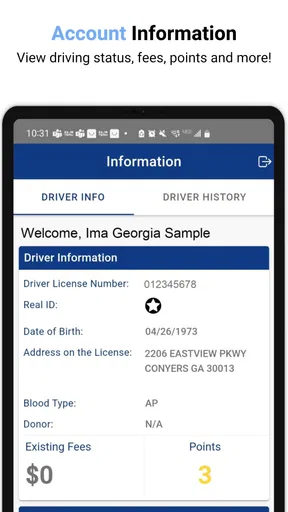
- View license status and renewal dates from your phone.
- Access digital license cards without carrying physical documents.
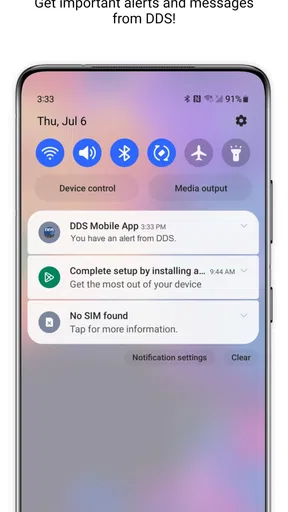
- Receive important notices and updates from DDS more conveniently.
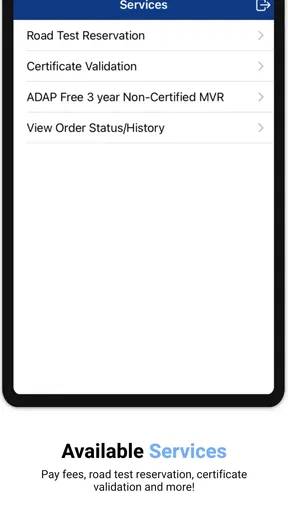
- Useful roadside resources are available in one centralized app.
- Official state service helps reduce reliance on third-party information.
Cons
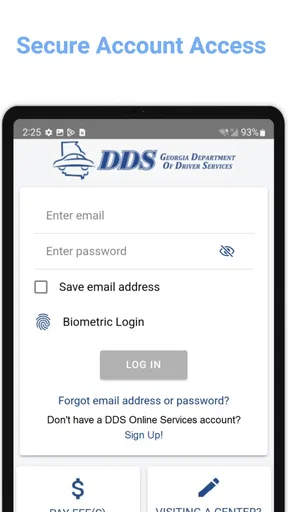
- Some features may require an active Georgia DDS account.
- Personal information must be entered to use several services.
- Availability can depend on DDS system maintenance or outages.
- The app is mainly useful to Georgia residents and licensed drivers.
- Older devices may experience compatibility or performance issues.
FAQs for DDS 2 GO
What is DDS 2 GO and what can I use it for?
DDS 2 GO is a mobile banking application designed for customers of participating credit unions. After signing in, you can typically review account balances, monitor recent transactions, transfer money between eligible accounts, pay bills, deposit checks with your phone, and manage alerts. The exact tools available depend on your credit union, account type, and the services enabled for your membership.
Is DDS 2 GO safe to use for mobile banking?
DDS 2 GO is intended to provide secure access to participating credit unions through a mobile device. Security may include encrypted connections, login credentials, device verification, and optional biometric authentication such as fingerprint or face recognition. Even so, users should install the app only from an official store, keep their phone updated, avoid public Wi-Fi for sensitive activity, and never share passwords or verification codes.
Do I need a credit union account to use DDS 2 GO?
Yes, DDS 2 GO is generally intended for members of credit unions that support the platform. You will normally need an active online-banking profile and login details supplied or created through your credit union. If your institution is not listed, or if registration fails, contact its support team directly because availability, enrollment steps, and supported account features can vary between participating organizations.
Can I deposit checks and transfer money with DDS 2 GO?
Many participating credit unions enable mobile check deposit and account transfers through DDS 2 GO, but these functions are not guaranteed for every user. Check deposit may require photographing the front and back of the check, entering the amount, and retaining the original until processing is complete. Transfer limits, delivery times, eligibility rules, and fees are determined by your credit union.
What should I do if DDS 2 GO is not working or I cannot log in?
First, check your internet connection, update the application, and confirm that your device meets the current Android or iOS requirements. If the app displays an error, try closing and reopening it without repeatedly entering an incorrect password. For locked accounts, enrollment problems, missing transactions, or service outages, contact your credit union rather than relying only on general app support.


